
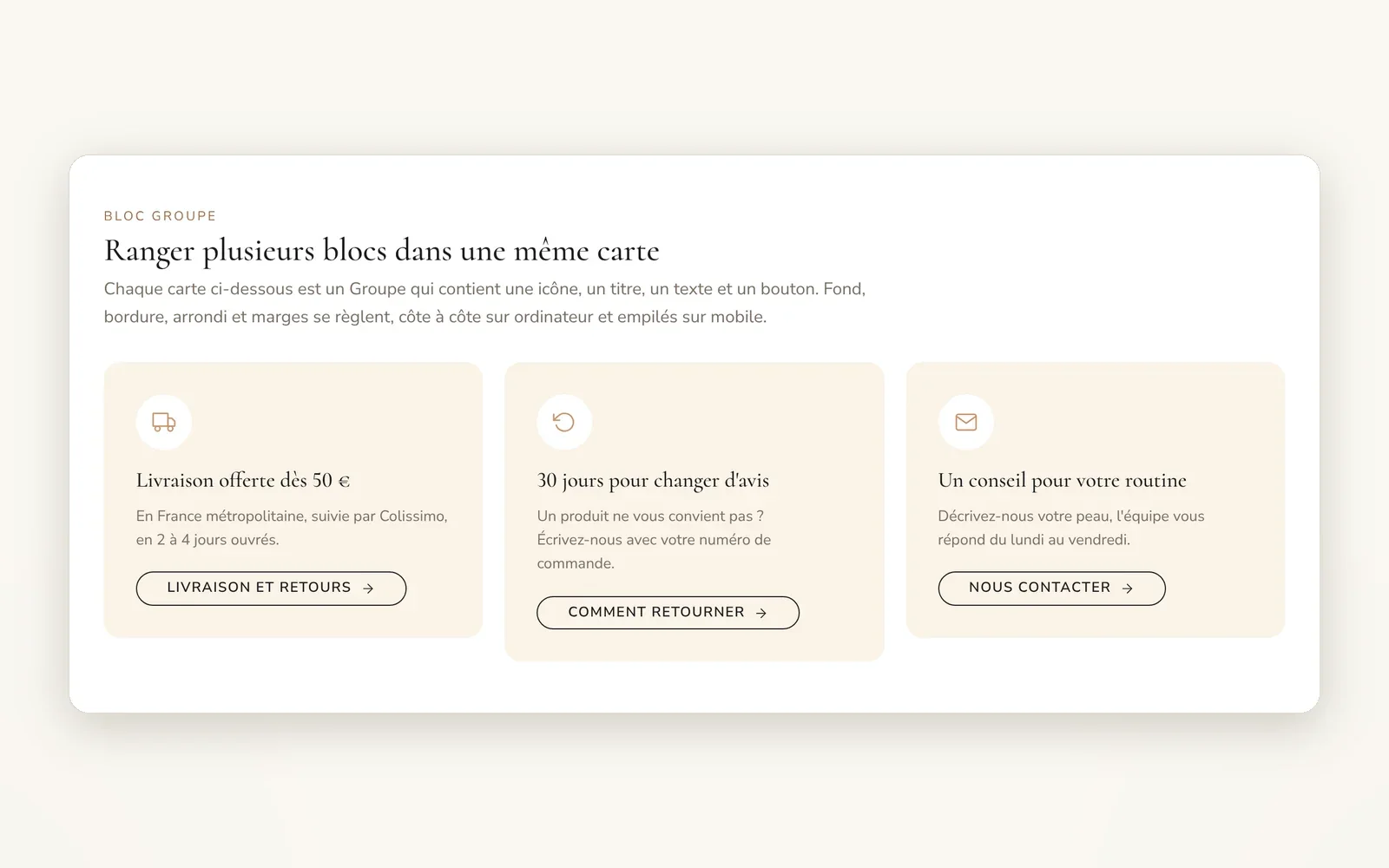
Group: keep several blocks together
Put blocks side by side or one below the other in a single frame, with background, border and margins. A group can contain another one.
What it does
- Horizontal or vertical direction, stacks automatically on mobile
- Background, border, shadow and corner radius to turn it into a card
- Accepts every theme block, including another group
What you can set
- Direction
- Stack vertically on mobile
- Horizontal alignment · desktop
- Gap · desktop
- Background color
- Border radius
Where to find it
Theme editor›inside a section with blocks›Add block›Group, then add blocks inside it
Theme blocks page, Group block section: 3 cream cards, each holding an icon, a title, a text and a button (side by side on desktop, stacked on mobile).
Related features
Your store deserves better than an empty theme.
Try Speedfly for 14 days on your real store. Not convinced? Cancel in one click.