
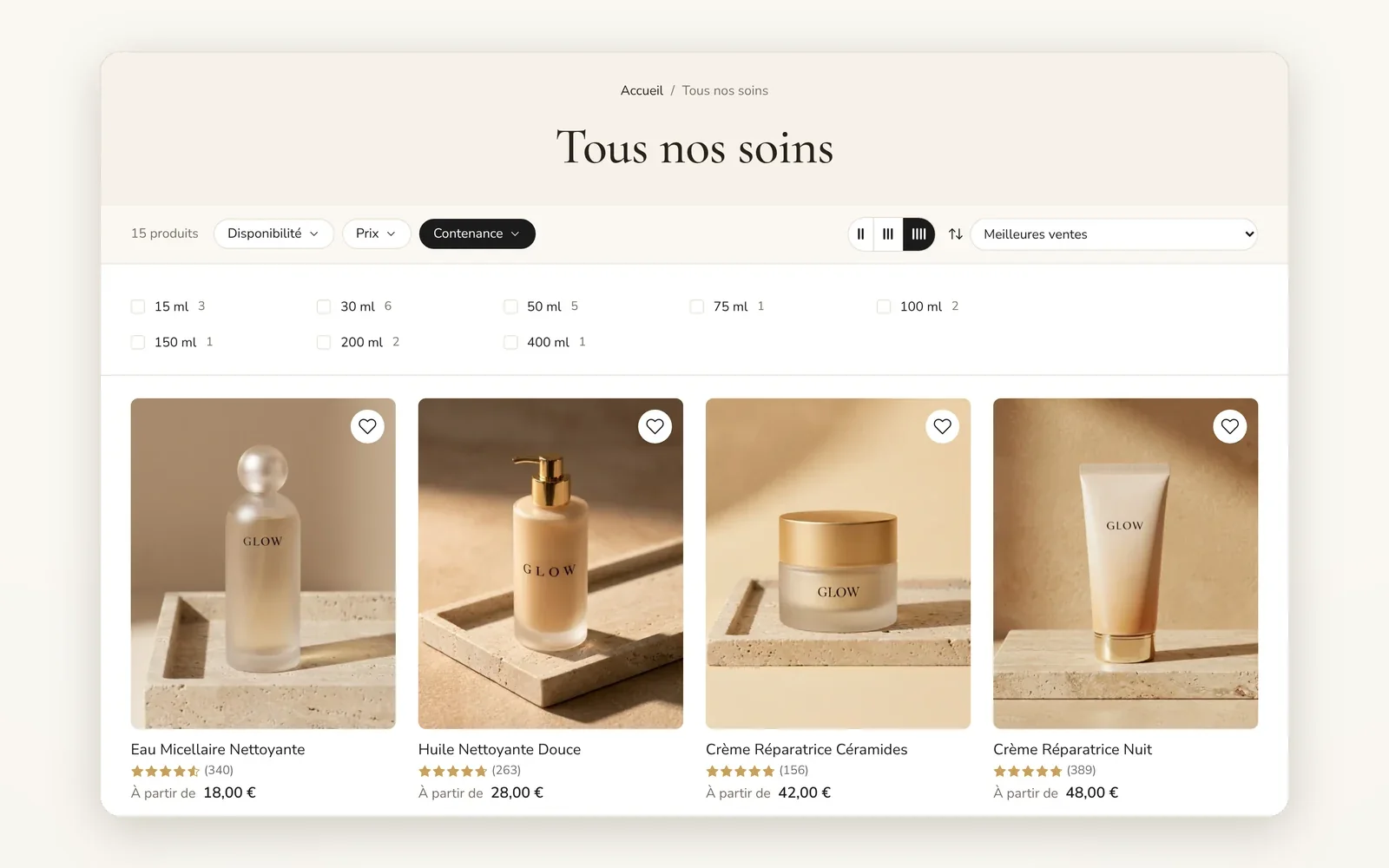
Filters on a bar above the grid
Filters line up on a horizontal bar above the products. The grid keeps the full width of the page.
What it does
- One button per filter on a horizontal bar, with arrows if the bar overflows
- Each filter opens as a shelf under the bar or as a pop-up
- Active filter chips and a button to clear everything
What you can set
- Filter layout (Top bar)
- Top bar · open filters as (Shelf, Popup)
- Top bar background
- Filter pill background
- Filter pill corner radius
Where to find it
Theme editor›Collection›Collection page section›Filtering›Filter layout = Top bar
"Tous nos soins" page: under the title, the bar with the "Disponibilité", "Prix", "Contenance" buttons. Click one: the options open in columns under the bar and the products keep the full width.
Related features
Your store deserves better than an empty theme.
Try Speedfly for 14 days on your real store. Not convinced? Cancel in one click.