
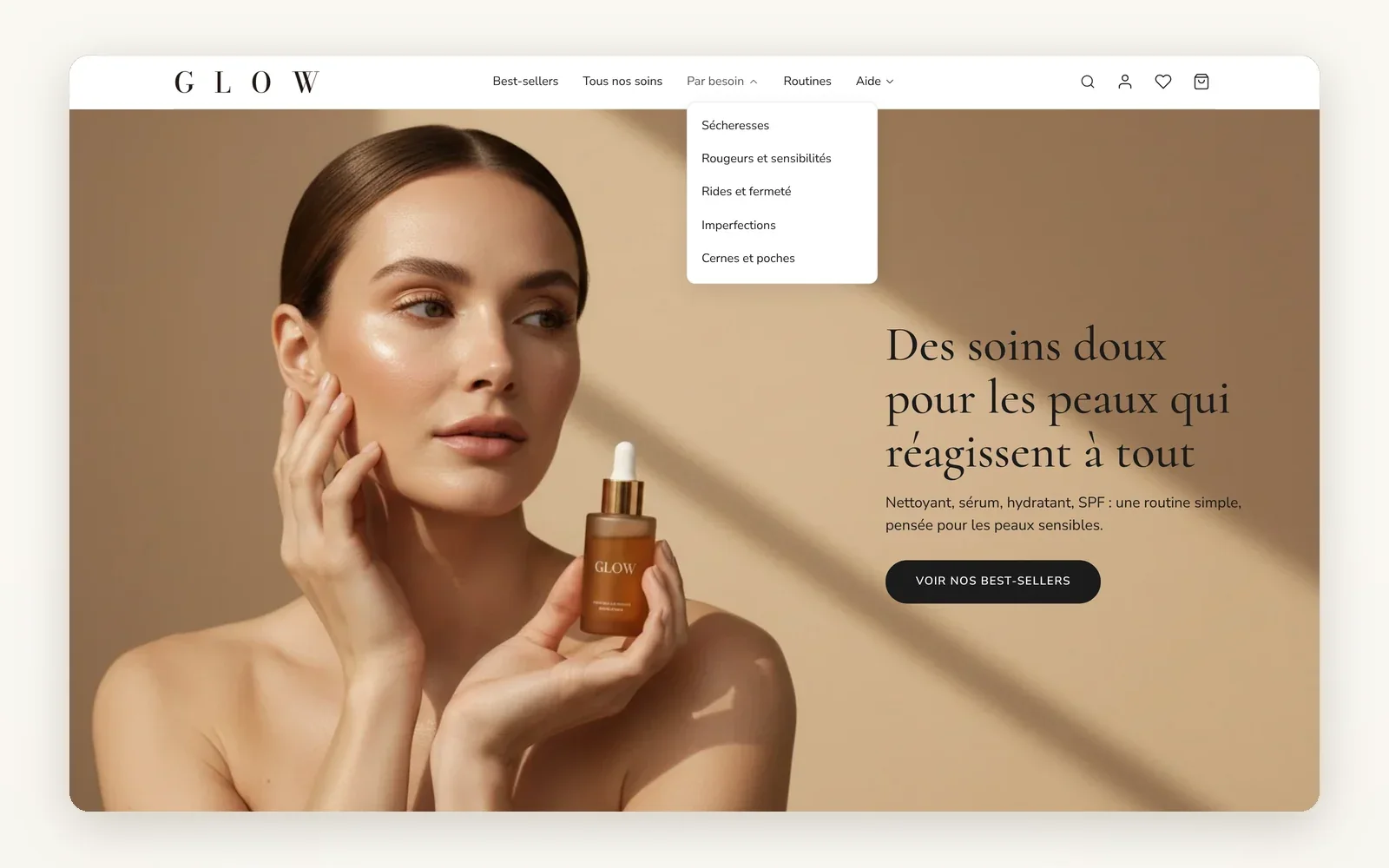
A header you build block by block
Logo, menu, search, account, wishlist, cart, text or button: each element is a block you place in the column of your choice.
What it does
- 11 header blocks to place in rows and columns
- Each column has its own width, alignment and mobile or desktop display
- Classic or pill menu, search as an icon or as a visible field
What you can set
- Column width
- Horizontal alignment
- Gap between items
- Hide on mobile / Hide on desktop
- Row height
- Default sticky behavior
Where to find it
Theme editor›Header›Header section›row›column›Add block
Site header: logo, menu (Best-sellers, Tous nos soins, Par besoin, Routines, Aide), search, account, wishlist, cart. Hover "Par besoin" to open its submenu.
Related features
Your store deserves better than an empty theme.
Try Speedfly for 14 days on your real store. Not convinced? Cancel in one click.